
Create Meeting or Conference Schedule
Create detailed schedules that double as the brief for your suppliers. When you update the schedule, changes are sent directly to the relevant suppliers — no more emailing every adjustment.
Get Started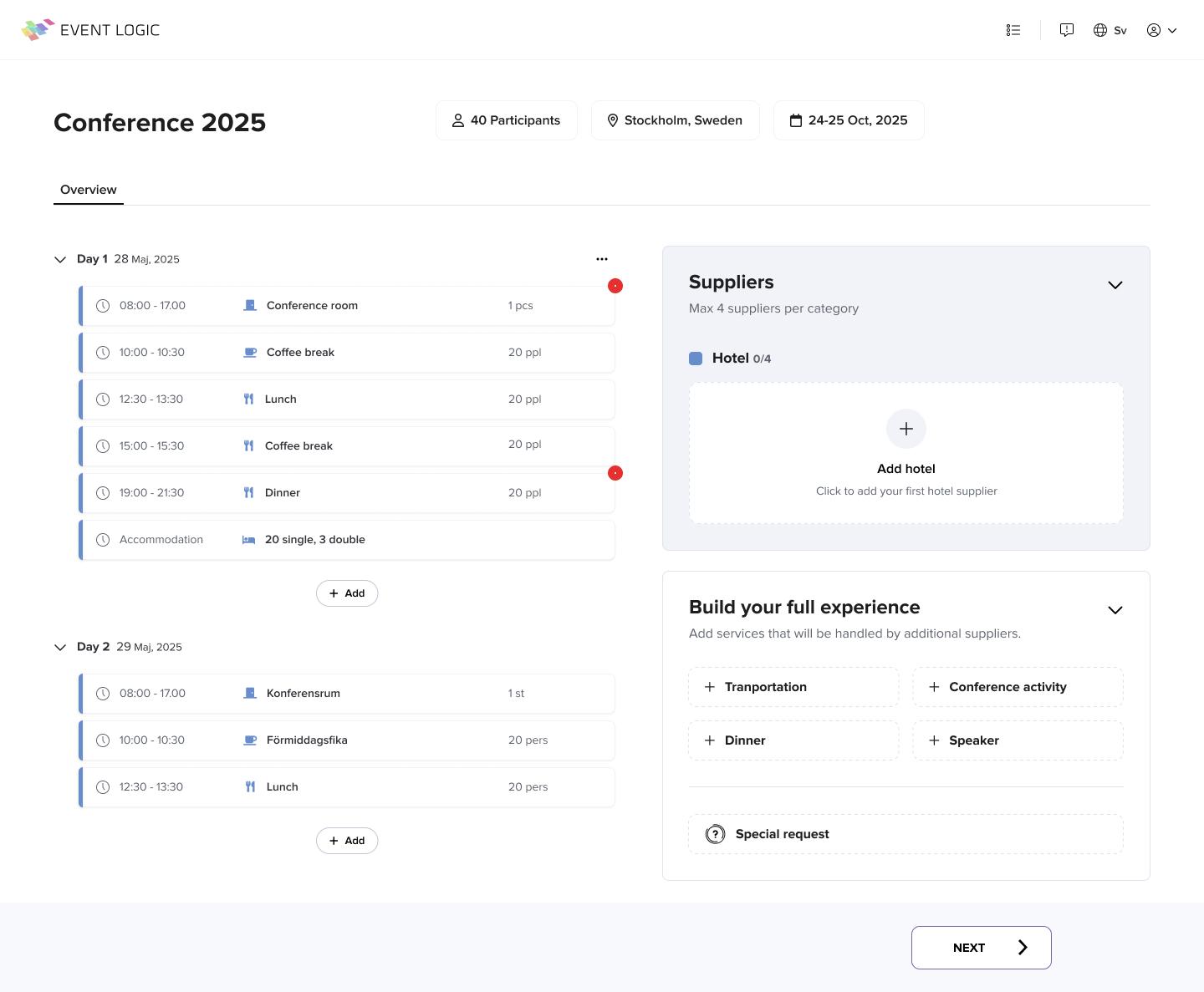
Key Features
Intuitive Timeline
Create visual timelines for your meetings and conferences with drag-and-drop simplicity. Easily adjust times and activities as your plans evolve.
Easy Sharing
Share schedules with your team, suppliers, and participants. Everyone stays informed with real-time updates.
Templates & Automation
Save time with customizable templates for different meeting and conference types. Automate notifications and reminders for key schedule milestones.
How It Works
Create Your Meeting or Conference
Start by entering your meeting and conference details, including date, location, and meeting and conference type. Our system will suggest a schedule template based on your meeting and conference type.
Customize Your Schedule
Customize the schedule by adding, removing, or rearranging activities. Set times, durations, and assign responsibilities to team members or suppliers.
Send to suppliers
The schedule is the brief — send it to all relevant suppliers in one click. No Excel attachments, no email threads.
Update without emailing
When you change the schedule, updates go straight to your suppliers. Schedule and suppliers update as one step.
Ready to create your meeting and conference schedule?
Join thousands of meeting or conference planners who use Event Logic to create and manage their meeting and conference schedules.